The operator plane
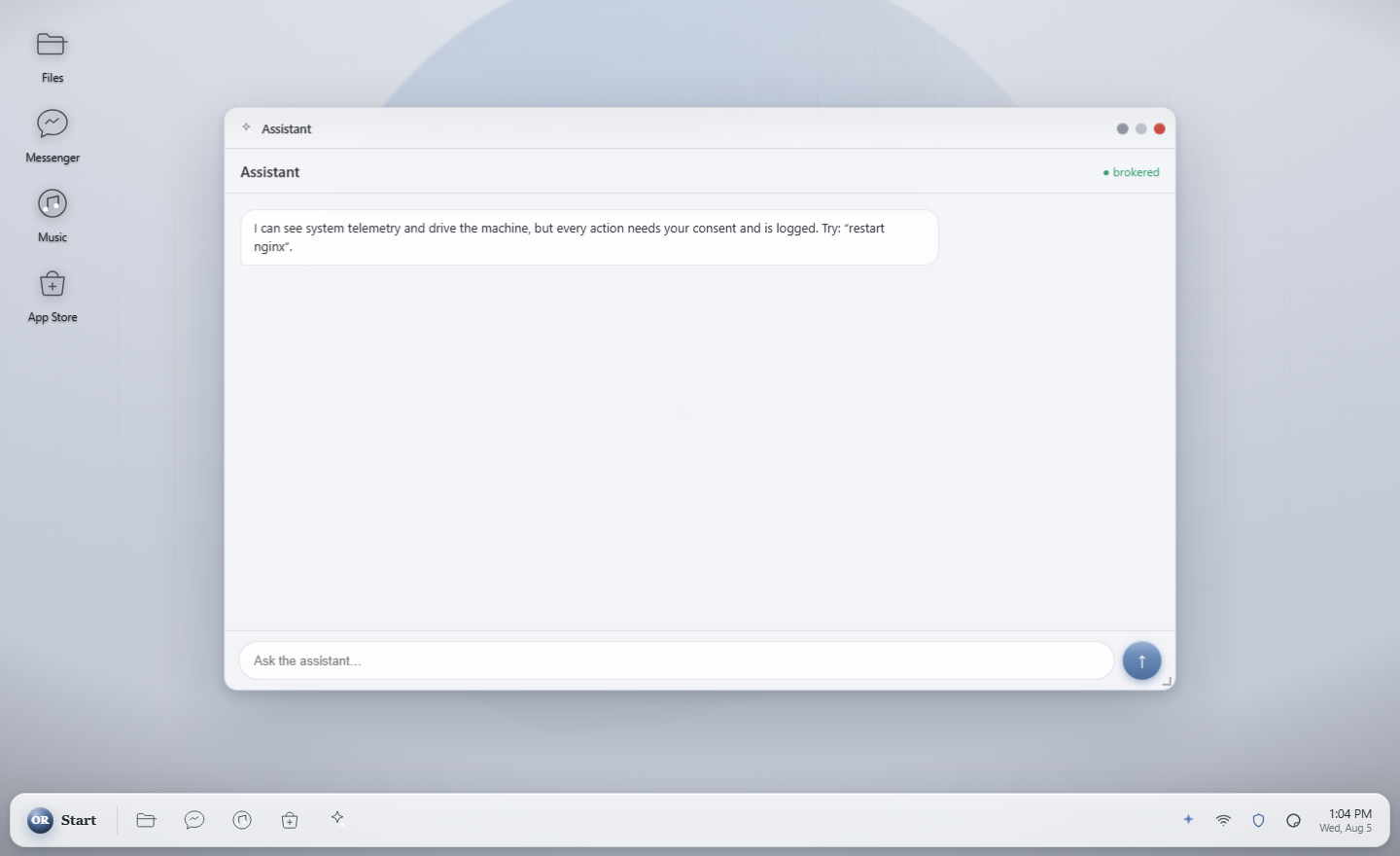
Ora is not a chat window bolted to the side of a desktop. It can read files, run scans, change settings and dig into why something is broken. Before it does any of that, a consent card appears and waits for you.
Ora reaches the system through exactly one gate, and that gate asks you. There is no second path, no "trusted" list of actions that skip it, and no setting that turns it off wholesale. Every approval is written to an audit trail.
This is the part that matters, and it is worth being precise about why. An assistant powerful enough to fix your machine is only safe if it cannot act behind your back. You cannot get there by promising good behaviour in a policy document, because a promise is not enforceable by the machine. It has to be a property of the architecture, so that is where we put it.
Where the thinking happens
Ora talks to a model server you run. No API key, no account, and nothing leaving the machine unless you deliberately point it somewhere else.
| Works with | llama.cpp, vLLM, LM Studio, Ollama, or any server speaking the OpenAI API. Also the native Orynr engine, which adds tools and consent-gated actions. |
|---|---|
| Setting it up | Assistant → the gear → Local / custom server. Enter host:port, press Connect. Orynr works out which protocol the server speaks by itself. |
| On the same machine | Point it at 127.0.0.1 and whatever port your server uses. |
| On another machine | Use that machine's address, and make sure the model server listens on 0.0.0.0 rather than only localhost, or nothing else can reach it. |
| Remembered | The choice survives a restart. |
How far it can see
| Container | A workspace of its own and nothing else. The default, and the right choice while you are deciding how much you trust it. |
|---|---|
| Home & files | Your documents, downloads and desktop. Enough to be genuinely useful with your own work. |
| Whole OS | Everything, for diagnosing problems that are not in your home folder. Still consent-gated at every step. |
| A folder you pick | One directory, chosen by you, for when a project is all that matters. |
Scope limits what Ora can see. Consent limits what it can do. They are separate on purpose: widening the view does not widen the authority.
Type a question or a goal. Ora works out the steps and asks before any of them touch the system.
While it is working, Send becomes Stop. Long answers can be cut off mid-thought without waiting.
Reasoning models stream their working into a panel you can open, so you can see how it reached an answer.
Each privileged action raises a card naming exactly what it wants to do. Refusing is always available.
The App Store installs capability packs. New abilities still pass through the same gate, so a bigger toolbox never means less control.
Ora knows this documentation, so "how do I change the theme" is a reasonable thing to type.